
When people find ants in a phone charger, game console, TV, router, or laptop, the first reaction is usually panic. That makes sense. Electronics are expensive, delicate, and hard to clean once the ants get deep inside. The good news is that you usually do not need to destroy the device or drown it in chemicals to fix the problem.
The smarter approach is to remove the ants safely, cut off the trail that brought them in, and stop the colony from coming back. In this guide, I will walk you through how to get ants out of electronics in a way that protects the device, makes sense in real life, and gives you a better chance of solving the problem for good.
I have seen this happen everywhere from gaming consoles in teenagers’ bedrooms to outdoor cable boxes packed with ants after heavy rain. In a lot of cases, homeowners panic and spray directly into the device, which often causes more damage than the ants themselves. The safest approach is usually slower and more targeted.
One thing I strongly recommend avoiding is spraying household cleaners or liquid insecticides directly into electronics while they are plugged in. That mistake can permanently damage sensitive components and sometimes creates a bigger problem than the ants themselves.
Also Read: Does Bleach Kill Ants Permanently? Most People Get This Wrong
Quick Answer: Safely Removing Ants from Electronics
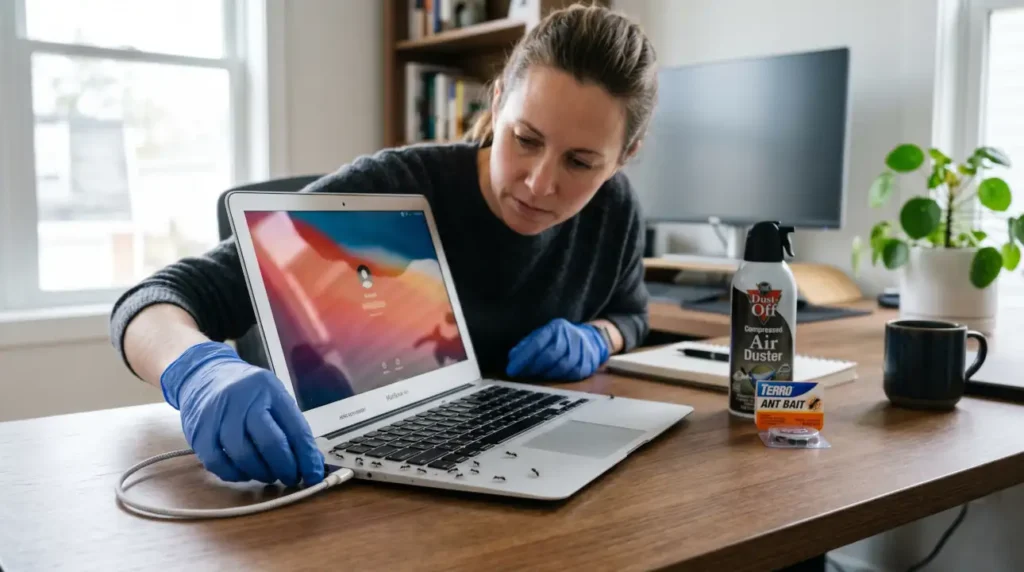
To get ants out of electronics safely, unplug the device first and avoid spraying liquids directly into it. Use ant bait near trails or entry points, clear loose ants with compressed air, and clean nearby food residue to stop reinfestation. In severe cases involving breaker boxes or expensive appliances, professional help is the safest option.
Why Are Some Ants Attracted to Electronics?
Ants do not usually invade electronics because they love plastic or circuit boards. They are mostly looking for a few simple things, and electronics can accidentally offer them all of it. Warmth is a big one. Electrical housings and device casings can stay warmer than the surrounding room, and warm, dry spaces are appealing nesting spots for some ants. Texas A&M AgriLife Extension explains that electrical housings can provide warmth in winter, dry shelter during heavy rain, and protected nesting sites for ants, which is one reason infestations often show up in electronics and utility boxes.
Another reason is that some ants seem to show an affinity for electrical fields or switching mechanisms. Some researchers and pest professionals also believe certain ants may respond to electromagnetic activity or electrical current around active equipment, although the exact behavior is still not fully understood.
That behavior is still not fully understood, but it has been observed often enough in real infestations that many pest professionals recognize the pattern. Some species, especially fire ants and crazy ants, are known for causing trouble around electrical equipment and utility housings. Once ants get inside, they may damage insulation, interfere with switches, or create short circuits.
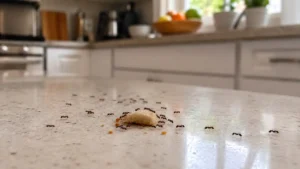
Food residue can also play a role. A keyboard with crumbs, a console with sticky fingerprints, or a desk with sugar dust is basically a welcome sign. Ants are extremely efficient foragers, and once they find a food source, they lay down scent trails that bring more ants to the same spot. That is why a few scout ants can quickly turn into a much larger trail. The National Pesticide Information Center recommends sealing entry points, wiping scent trails with soapy water, vacuuming ants, and removing food residue to stop infestations from spreading around electronics and nearby walls.
Quick tip: If ants are showing up around a device, do not just kill the ones you can see. Follow the trail. The real problem is usually the nest, the entry point, or the food source nearby. If you remove those, the device becomes a lot less interesting to them.
In real homes, I often find the actual colony nowhere near the electronics themselves. The device is usually just sitting along an active trail running through a wall void, under flooring, or behind baseboards. That is why cleaning the device alone rarely fixes the problem for long.
A lot of people also see ants around the home and wonder whether nearby electrical outlets are part of the same problem. They often are. Outlets, switch plates, wall voids, and warm wiring spaces can all become attractive hiding or travel spots for certain species. That is why the issue often looks like a “device problem” when the colony is actually moving through the wall.
Type Of Ants That Get into Electronics
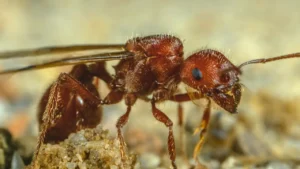
Not every ant species behaves the same way, and that matters here. Some ants are mainly after sweets in kitchens, while others are much more likely to build nests near wiring, motors, outlets, or other warm structures. Fire ants, carpenter ants, acrobat ants, and crazy ants are all known for nesting near wiring, electrical housings, and switching mechanisms in certain environments. Ghost ants are small enough to nest inside switch plates, outlet gaps, and other hidden wall voids around electronics.
Of the troublemakers, crazy ants are especially worth knowing about. They are notorious in some regions for invading electrical gear, and they are commonly found around junction boxes, outdoor outlets, and similar areas. They are fast-moving, unpredictable, and not fun to deal with once they get established.
Fire ants are another serious one. I once inspected an outdoor cable box where ants had packed soil and nesting material around the internal wiring to the point that the homeowner completely lost internet service during humid weather. The issue looked like an equipment failure at first, but the real problem was the colony building inside the housing itself. Fire ants are well known for invading electrical equipment and utility housings, especially in warm and humid regions. They can move entire colonies into boxes, and they can also interfere with the electrical parts themselves. In practical terms, that means you might not just have a nuisance, you may have a repair problem.
Carpenter ants can also show up, especially where there is moisture-damaged wood or hidden voids. They are not attracted to electronics in the same way a true electrical pest might be, but they absolutely use wall voids, cabinets, and hidden spaces near equipment. Ghost ants and acrobat ants are smaller and can slip into surprisingly tight spaces. That is what makes electronics such a good hiding place for them.
If you are not sure which ant you are dealing with, identification matters more than most people realize. Different ants respond better to different baits and controls, and using the wrong method can waste time or make the problem worse. Correct identification matters because different ant species respond differently to baiting methods and control strategies.
Signs Ants May Be Inside Electronics
Some infestations are obvious, but others are easy to miss at first. Common signs include ants crawling near vents or charging ports, random device overheating, visible ant trails near outlets, dead ants inside screens or light covers, or electronics suddenly shutting off without a clear reason. In larger infestations, you may even notice dirt, nesting material, or a faint burning smell around electrical housings.
How To Get Ants Out of Electronics
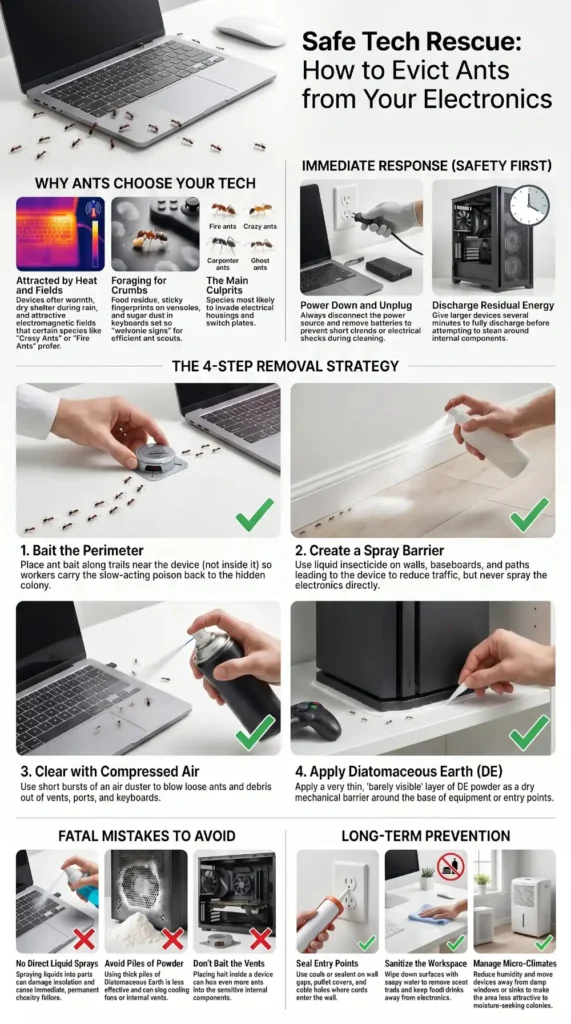
The main rule is simple. Do not rush straight to liquids. Your first goal is to protect the device, then remove the ants, then treat the source. If you attack the wrong way, you can easily create a short circuit or force the ants deeper into the unit. Liquid sprays and drenches can damage insulation and sensitive electrical components if they are used incorrectly around electronics.
1. Set Up Ant Bait
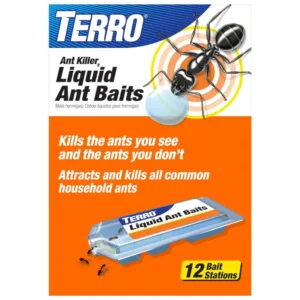
Bait is usually the best place to start when ants are moving between a device and a colony nearby. The reason is simple. You are not just trying to kill the ants you see. You want worker ants to carry the bait back to the colony so the problem gets hit at its source. That is the same logic used when people try to get rid of sugar ants, because the colony is what keeps the infestation going.
Use bait near the trail, entry point, or around the structure close to the device, not inside the electronics themselves. For a laptop or game console, that usually means baiting nearby baseboards, wall edges, or the room perimeter, not the device vents. For an appliance, it may mean placing bait near the exterior path the ants are using. This is slower than spraying, but it is usually much more useful for long-term control. Long-term control works best when you target the colony itself instead of only killing the visible ants.
You will sometimes see people mention homemade borax baits, and that is because Borax is commonly used to kill ants. The key word there is carefully. Baits only work when ants actually take them back to the colony, and they should be placed where they are attractive to ants but still safe for the device and the people and pets in the home. I would not put loose bait inside any electronic housing. Use it as a perimeter tool, not a device-cleaning trick.
Quick tip: If the ants are inside a larger appliance such as a water heater, breaker box, or outdoor unit, bait placed near the nesting zone often works better than trying to treat the interior directly. If the device is a laptop, game console, or router, keep bait away from the ports and use it only around the room or the entry trail.
2. Use Ant Spray
Spray can help, but only in the right place. In my experience, overusing spray is one of the biggest mistakes homeowners make with ants in electronics. It may kill visible workers quickly, but it often scatters the colony deeper into walls or pushes ants farther into the device itself.
It is useful around the outside of the infestation, along trails, and on surrounding surfaces where the ants travel. It is not a good idea to spray directly into electronics, into electrical outlets, or onto open circuitry. Liquid spray should never be applied directly into electrical outlets, open circuitry, or powered electronics because it can create short circuits and damage sensitive components.
Think of spray as a barrier tool, not a direct rescue tool for the device itself. If ants are marching up a wall and into the back of a TV stand, you may be able to treat the wall edge, the baseboard, or the path outside the device. That can reduce traffic without exposing the device to moisture. But once ants are already in the unit, spray is usually a poor choice unless a label specifically says it is safe for that exact situation.
If you have a big infestation around outlet boxes, transformers, or other electrical housings, this is one of those moments when the safest move is often to stop DIY treatment and bring in a professional. Homeowners should avoid attempting treatment inside energized electrical panels, utility housings, or complex equipment unless they are properly qualified to do so safely.
3. Try An Air Duster
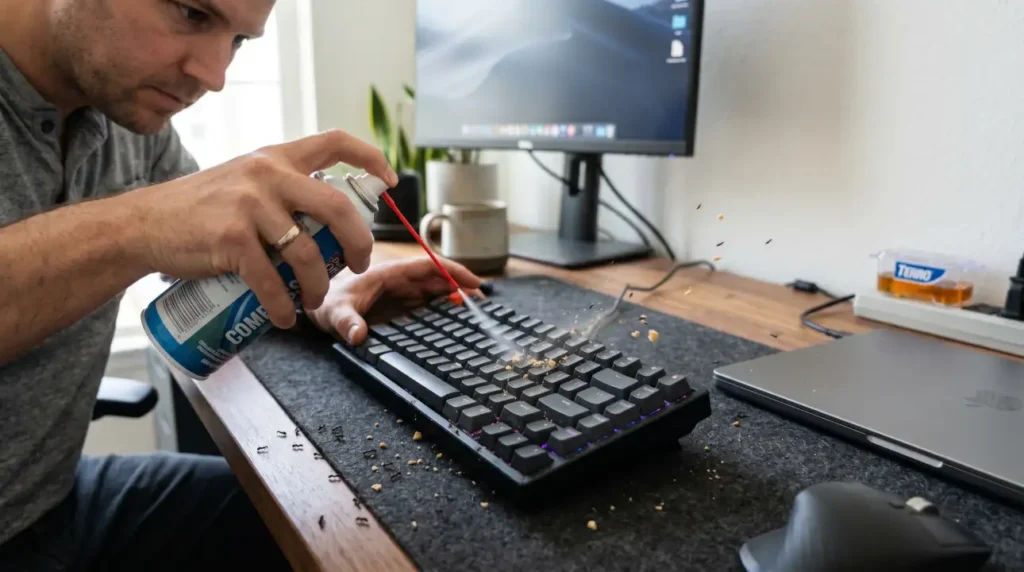
For keyboards, routers, game consoles, and similar devices, compressed air or an air duster is often the most practical non-liquid option. It can blow loose ants, debris, crumbs, and dust out of the crevices where they are hiding. That matters because ants often use tiny cavities, and food bits inside those openings can keep the infestation going. This method is especially useful for homeowners dealing with ants in computers, desktop towers, or gaming setups where liquid treatment would be risky.
Use short bursts, keep the device powered off, and unplug it first. Give larger devices several minutes to fully discharge before cleaning around exposed components, especially power supplies or older electronics that may still hold residual electrical charge. If the device has removable batteries, take those out too. Work in a well-ventilated area, ideally outside or near an open window, so you are not blowing pests deeper into the room. Also, do not force the nozzle deep into the port. You are trying to clear the space, not damage it. The goal is to clear the ants out without introducing moisture or damaging residue into the device.
Compressed air works best when you combine it with patience. Blowing out the visible ants is not the same thing as solving the colony. It is often a cleanup step after baiting and inspection, or a way to clear a device before you seal the area and prevent reinfestation. That is why a lot of experienced techs and pest pros use it as one piece of the fix instead of the whole fix.
4. Sprinkle Diatomaceous Earth
Diatomaceous earth, often called DE, is another common option around electronics, but it should be used in the right way. Diatomaceous earth works by physically damaging insects rather than poisoning them chemically. Insects contact or ingest the powder and die, and they cannot build resistance to it the way they sometimes do with chemical products. Fine DE dust should still be used carefully around electronics and ventilation areas to avoid unnecessary airborne particles indoors.
For electronics, DE is best used as a perimeter treatment. That means around the baseboards, cracks, wall edges, entry points, or the outside of outdoor equipment, not dumped into the unit itself. A thin line near the trail can help create a barrier. The important thing to understand is that DE works best as a dry perimeter barrier, not as something you dump directly into electronics. When used properly, it can still be an eco-friendly form of pest control for homeowners trying to avoid excessive chemical use indoors.
It is also important to remember that DE works best in dry locations. Moisture reduces how well it performs, and clutter can block it from contacting ants as they pass through. So think of it as a line of defense near the route, especially in places where you have seen attracting ants such as crumbs, warm corners, or hidden cracks.
Quick tip: A very light dusting is enough. If you can clearly see piles of powder sitting on the floor, you are probably using too much. A thin, targeted application is safer, cleaner, and usually more effective.
Mistakes That Make Ant Problems Worse
One of the biggest mistakes homeowners make is spraying directly into ports, vents, or outlets. That may kill visible ants, but it can also damage circuitry or push the infestation deeper into the device.
Using too much diatomaceous earth is another common problem. Thick piles are messy, easy to disturb, and often less effective than a thin targeted layer along active trails.
A lot of people also focus only on the device itself while ignoring wall voids, outlet gaps, or nearby food sources. In many cases, the electronics are just sitting along a foraging trail coming from somewhere else in the home.
Another mistake is placing bait directly inside electronics. Bait works best near the trail or entry route, not inside vents or around sensitive components.
Finally, many homeowners power devices back on too quickly after cleaning them out. If moisture, residue, or hidden ant activity remains inside, the device may still short out or overheat.
How To Keep Them Out of Your Electronics in the Future
Once you get ants out, the next job is making the area less attractive to them. This is where most people slip up. They solve the visible problem and stop there, then the ants come right back a week later. The reason is usually still the same, food, moisture, shelter, or entry points. Sealing cracks, wiping scent trails, vacuuming ants, and reducing food residue all help prevent reinfestation around electronics. Those basic habits matter a lot around desks, TV stands, and workspaces.
Start by cleaning the area around the device. Crumbs behind a monitor stand, spilled drink residue near a keyboard, and grease on a gaming controller can all attract ants. If you use electronics while eating, wipe the surface often and avoid leaving food near chargers or vents. A tiny sugar spill can keep a trail active long after the food is gone.
Next, pay attention to entry points. Check baseboards, wall gaps, cable holes, switch plates, outlet covers, and the spaces where cords enter the wall. Sealing cracks, wall gaps, and outlet openings can make a major difference in preventing reinfestation. If ants are using a gap near the device, sealing that route can make a huge difference.
Moisture control matters too. Ants love a comfortable route, and moisture can make hidden spaces more appealing. If the device sits near a sink, window, aquarium, or humid corner, move it if you can. Fix leaks, reduce condensation, and avoid letting cords sit where moisture can travel along them. Electrical housings often provide the dry, sheltered conditions ants look for when nesting indoors or around utility equipment.
It also helps to keep electronics a little farther from the wall when possible. That creates a less convenient bridge for ants and makes inspections easier. You can see trails sooner, clean behind the unit more often, and catch a problem before it becomes a full infestation. If the ants are coming from a nearby outlet or wall opening, this small change can buy you time while you solve the real issue.
Can Ants Seriously Damage My Electrical Appliances?
Yes, they absolutely can. This is not just a nuisance problem. Ant infestations are capable of damaging air conditioners, utility housings, traffic signal boxes, and other electrical equipment. Once inside, they can chew on insulation, cause short circuits, and interfere with switching mechanisms. After ants are removed, sensitive electrical components should be sealed where possible to help prevent reinfestation and future damage.
Outdoor air conditioners are one of the more common large appliances affected by ant infestations because the units provide warmth, shelter, and protected electrical compartments.
Also Read: How To Get Rid of Ants in Your Lawn & Yard Naturally Before It Gets Worse
The biggest risk is not just the ants themselves, it is what they do to the system around them. Colony movement can bring soil and moisture into housings, which can lead to corrosion. That corrosion can affect temperature regulation, oil systems in some equipment, and the overall reliability of the appliance. Once ants start bridging electrical contacts or gathering inside a switch area, the unit can fail without much warning.
There is also a safety angle. Around heavy equipment, breaker boxes, and external housings, ant activity can become a fire or shock concern. It is one thing to have ants in a keyboard. It is another thing to have them in a circuit breaker or an outdoor electrical unit. If the infestation is in a critical appliance or a panel, the safe move is to treat the area carefully and bring in a pro when needed.
Conclusion
If ants are in your electronics, stay calm and work in the right order. Unplug the device, figure out where the ants are coming from, and use the safest method for the type of equipment you have. For many situations, bait is the best long-game solution. Spray is useful around the perimeter, not inside the electronics. Air duster helps clear loose ants from devices like keyboards and consoles. Diatomaceous earth can help as a dry barrier around entry points. In most homes, the long-term fix has less to do with the device itself and more to do with eliminating the trail, food source, and hidden access points that allowed ants to settle there in the first place.