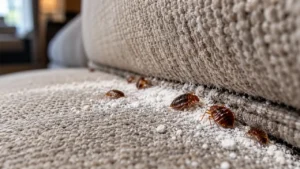
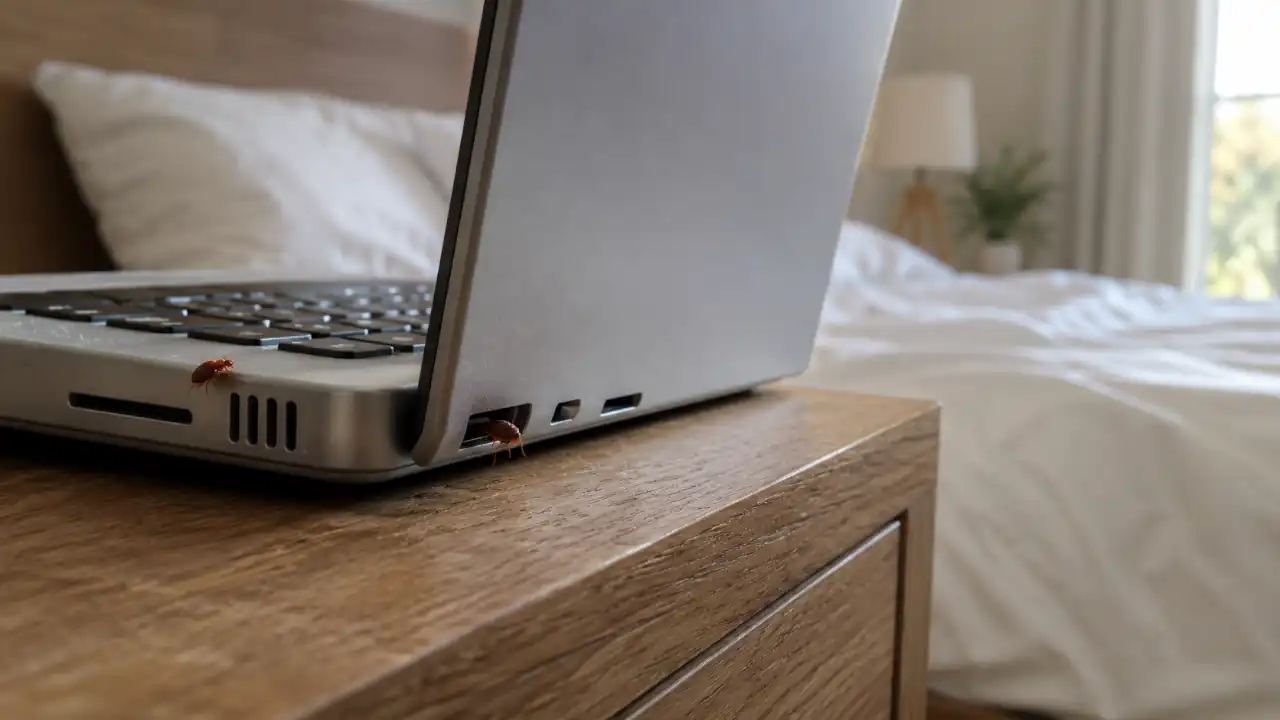
You just found a bed bug crawling out of your laptop charger port, or maybe you spotted one near your TV remote, and now your stomach has dropped. I get it. The bed and the couch are one thing, but the idea of bugs living inside your electronics feels like a whole different level of gross, and it comes with a scary follow-up question: how do you kill them without frying your $800 laptop in the process?
After 18 years of walking into infested homes and apartments, I’ve dealt with this exact panic more times than I can count, and the good news is that learning how to get bed bugs out of electronics doesn’t have to mean damaging your devices. There are safe, proven ways to clear bed bugs out of your gadgets without turning them into paperweights.
I’ve found bed bugs hiding in alarm clocks, gaming consoles, cable boxes, Wi-Fi routers, and laptops sitting beside beds. Electronics aren’t their preferred home, but if they’re close to where people sleep, they’re absolutely worth checking.
Also Read: How To Get Rid of Bed Bugs in Your Couch for Good
Quick Answer
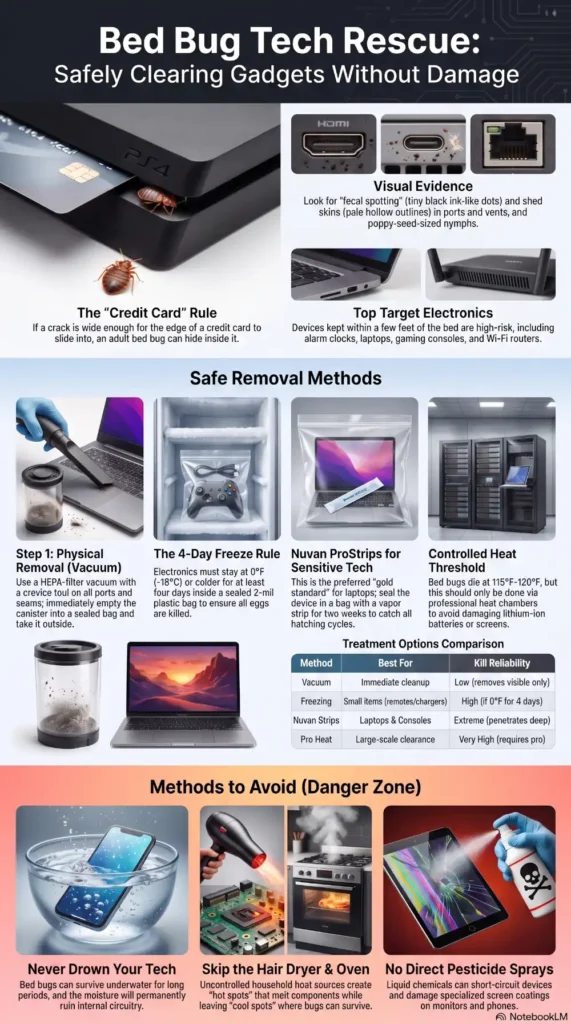
Yes, bed bugs can hide inside electronics, especially laptops, alarm clocks, gaming consoles, and routers kept near beds or sofas. The safest removal methods include vacuuming, freezing small devices at 0°F (-18°C) for at least four days, professionally controlled heat, or using Nuvan ProStrips inside a sealed container. Avoid water, ovens, hair dryers, and direct pesticide sprays.
Can Bed Bugs Live in Electronics?
Yes, they absolutely can, and it surprises most people the first time they hear it. Bed bugs don’t care whether they’re hiding in a mattress seam or tucked behind the back panel of a television. What they care about is finding a tight, dark crack close to where you sleep or sit for long stretches, and modern electronics happen to offer exactly that.
As a rule of thumb, if a crack is wide enough for the edge of a credit card to slide into, it’s usually large enough for an adult bed bug to hide. Laptops, game consoles, alarm clocks, power strips, Wi-Fi routers, and even the little gaps around your phone charger can become hiding spots.
Here’s the part that catches people off guard: bed bugs aren’t picky travelers. They ride along on whatever is nearby, and once a fertilized female finds a protected hiding place inside a device, she may lay eggs there if the conditions remain undisturbed.
If you’ve already got a problem in one room, they can spread very fast to every object sitting in that space, electronics included. That’s why treating just the bed and ignoring the nightstand gadgets is one of the biggest mistakes people make.
Quick Tip: Unplug and inspect any electronics that sit within a few feet of your bed or couch first. Those are the highest-risk items, not the TV across the room.
The Likelihood of Bed Bugs Being in Electronics
I won’t sugarcoat it or exaggerate it either. Not every phone charger or laptop in an infested home has bed bugs living in it. In most cases, the bugs stick close to their food source, which is you, and that means bedding, headboards, couch cushions, and even wood furniture usually see far more activity than a desktop computer across the room. But electronics that sit directly beside a bed, like an alarm clock, a phone charging on the nightstand, or a laptop left open on the mattress overnight, have a much higher chance of picking up hitchhikers.
Small, portable electronics are more likely to be a problem than large stationary ones. In my experience, remotes, laptops, alarm clocks, and gaming controllers account for far more electronic infestations than televisions or desktop computers because they’re handled more often and spend more time close to sleeping areas.
A phone or a game controller that gets picked up and set down in different rooms can spread an infestation around your home without you realizing it. A desktop tower that never moves is a lower risk simply because it’s not traveling with the bugs.
Electronics also aren’t ideal long-term hiding places because many devices generate heat during normal use and offer relatively little undisturbed space compared with furniture, mattresses, or wall voids. Bed bugs usually hide there only when it’s convenient to stay close to a host.
Quick Tip: If you’ve had bed bugs for more than a few weeks, treat every small electronic device that’s touched your bed or sofa as a suspect, not just the ones you’ve seen bugs on.
How To Get Bed Bugs Out of Electronics
This is the part everyone actually wants to know, so let’s go through each method, what it’s good for, and where it falls short.
| Method | Works? | Best For |
| Vacuum | Remove visible bugs | First step |
| Freeze | Small electronics | Chargers, remotes |
| Heat | Best overall | Professional treatment |
| Nuvan | Excellent | Sensitive electronics |
| Water | No | Never recommended |
| Hair dryer | Unsafe | Avoid |
| Neem oil | Limited | Deterrent only |
Vacuum
A vacuum won’t kill bed bugs on its own, but it’s an excellent first step before you do anything else. Run a vacuum with a crevice attachment along every seam, port, vent, and gap on the device to physically remove bugs and eggs that are sitting in accessible spots. If available, a vacuum fitted with a HEPA filter helps contain allergens and reduces the chance of debris escaping back into the room during cleanup. This reduces the population before you move on to freezing, heating, or another method, and it catches bugs that might otherwise survive because they weren’t fully exposed to the treatment.
Always empty the vacuum canister into a sealed bag immediately afterward and take it straight outside to the trash. Leaving it sitting in your vacuum defeats the purpose entirely. If you’re using a bagless vacuum, wash the canister with hot, soapy water after emptying it outdoors before bringing the vacuum back inside.
If you’re comfortable opening the device without voiding the warranty, inspecting the interior with a flashlight can reveal shed skins, eggs, or live bugs hiding around cooling fans and internal seams.
Freeze
Freezing works, but only if you do it right, and most people don’t leave items in long enough. Research from the Cornell Integrated Pest Management (IPM) Program shows that household freezers must maintain 0°F (-18°C) or colder for at least four days to reliably kill bed bugs and their eggs. Anything warmer, such as freezer door shelves that fluctuate above this temperature, may not eliminate the infestation completely.
To freeze an electronic item safely, power it down completely, remove any batteries, and seal it inside a thick plastic bag before it goes in the freezer. This stops condensation from forming directly on circuit boards when the item thaws. Once the four days are up, let the item sit inside the sealed bag at room temperature for several hours before opening it, so moisture doesn’t collect on the internal components.
This method works best for smaller items like remotes, phone chargers, or handheld game consoles rather than anything with a large battery or screen, since extreme cold and screens don’t always mix well long term. If the manufacturer specifically warns against freezing the device, follow the manufacturer’s instructions instead.
Heat
Heat is usually the faster and more reliable option, and it’s the one I recommend most often for electronics, with a few precautions. Bed bugs die at around 115°F to 120°F within a short exposure window, and many consumer electronics can tolerate temperatures around 120°F for a limited period, but always check the manufacturer’s guidance before exposing any device to heat.
The safest option is a professionally designed heat chamber that allows temperatures to be monitored accurately. Household ovens, hair dryers, and direct sunlight can easily overheat sensitive electronics or leave cool spots where bed bugs survive. If you aren’t able to control the temperature precisely, freezing or using a properly labelled pest-control product is usually the safer choice. Never attempt to heat lithium-ion batteries separately or expose them to temperatures above the manufacturer’s recommended storage limits, as this can create a fire hazard.
Seal in a Plastic Bag
Sealing an electronic device inside a heavy-duty plastic bag is one of the simplest ways to prevent bed bugs from spreading while you decide on a treatment method. It also improves the effectiveness of treatments like freezing or Nuvan ProStrips by keeping the environment around the item contained. While a sealed bag won’t kill bed bugs on its own, it helps prevent them from escaping into other parts of your home.
Use a bag that’s at least 2 mils thick, and tape every seam, including the opening, with strong packing tape. Don’t skimp here. A loosely closed bag is basically an open invitation for bugs to wander back out.
Nuvan ProStrips
For a lot of pest professionals, this is one of the preferred methods for sensitive items that can’t go through a dryer or get soaked in pesticide spray, and electronics fall squarely into that category. Nuvan ProStrips release a slow vapor that penetrates into tight spaces, including the inside of a laptop or game console, without you needing to open the device up.
To use one, place the electronic item and the strip together inside a sealed container or a thick plastic bag, taking care that the strip doesn’t touch the item directly. Manufacturer guidance generally calls for at least 48 hours of exposure to control nymphs and adults, but because eggs can take longer to hatch, a full two-week seal is often recommended to make sure any bugs that hatch during that window are also exposed and killed.
After treatment, let the item air out in a well-ventilated space for a couple of hours before using it again. Because these strips contain a regulated insecticide, follow the product label exactly, keep them away from pets and kids, and check whether they’re legal for residential use in your state before buying, since some states restrict them. Never use Nuvan ProStrips in occupied rooms or enclosed living spaces. They’re designed for treatment inside sealed containers or bags, following the product label, not for continuous indoor exposure.
Neem Oil
Neem oil comes up a lot in natural pest control circles, and it does have a scent that keeps them away to some degree, acting more as a deterrent than a kill method. For electronics, I’d treat neem oil as a supporting player rather than your main strategy. You can lightly apply diluted neem oil around the exterior seams and openings of a device (never directly onto ports, screens, or internal components) to discourage bugs from settling back in after you’ve already treated the item. On its own, though, it won’t eliminate an existing infestation inside a device, so pair it with freezing, heating, or vacuuming for actual results.
Drown
Submerging electronics in water is not something I’d recommend for anything with circuitry, for obvious reasons, but it’s worth addressing because people ask about it constantly. Bed bugs can survive for a while in water, so a quick dunk isn’t a reliable kill method even for items that could handle it, and for electronics specifically, water and internal components are a bad combination no matter how you slice it. Skip this one for anything electronic and stick to freeze, heat, vacuum, or a chemical strip instead.
Which Method Is Best?
If I had to rank these methods based on what I’ve seen work in the field, this is how I’d prioritize them:
- Best overall for most electronics: Professionally controlled heat treatment, because it can eliminate bed bugs quickly without introducing chemicals when temperatures are carefully monitored.
- Best DIY option: Freezing, provided your freezer can maintain 0°F (-18°C) for at least four days and the manufacturer doesn’t advise against freezing the device.
- Best for sensitive electronics: Nuvan ProStrips used inside a properly sealed container or bag, following the product label, since the vapour can reach hiding places that are difficult to access without taking the device apart.
- Best first step: Vacuuming. Removing as many live bugs and eggs as possible before using another treatment improves your chances of success.
- Least effective as a standalone treatment: Neem oil. It may help discourage bed bugs from returning, but it shouldn’t be relied on to eliminate an active infestation.
- Methods to avoid: Water, household ovens, hair dryers, and direct pesticide sprays on electronics. These are far more likely to damage the device than solve the infestation.
Signs That You Have a Problem
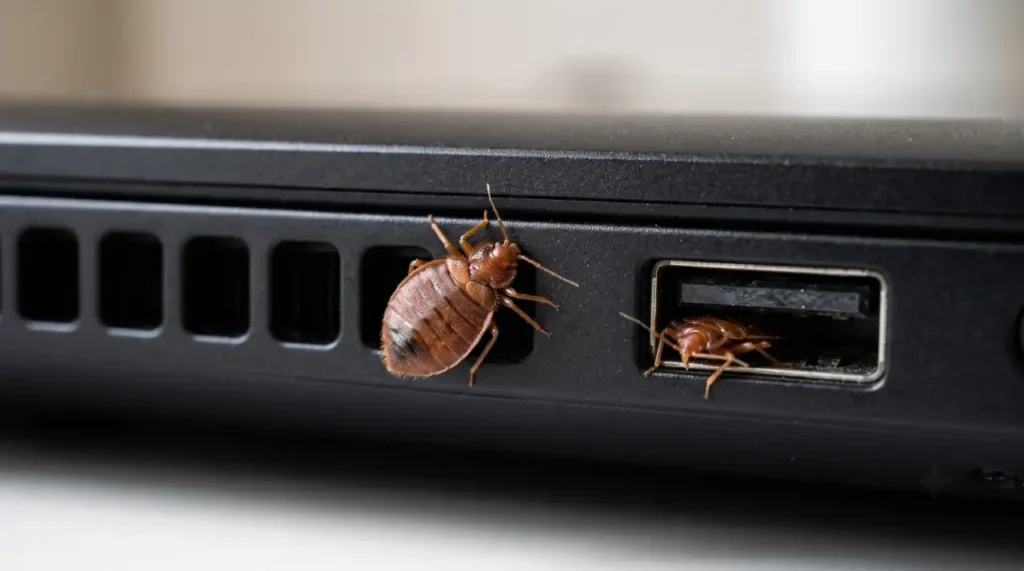
Before you go tearing apart every device in your house, it helps to know what you’re actually looking for. Tiny dark or reddish-brown spots near ports, hinges, or seams are often fecal spotting, and it tends to cluster in the same tight areas the bugs like to hide. Small rust-coloured blood spots can also appear around hiding areas after recently fed bed bugs are accidentally crushed. Bed bug fecal spots look similar to tiny black ink dots and often smear reddish-brown when wiped with a damp cloth, which helps distinguish them from ordinary dust.
You might also spot shed skins, which look like pale, hollow outlines of the bug’s body, since bed bugs molt several times as they grow. Eggs are even harder to spot because they’re tiny, whitish, and often cemented into narrow cracks. If you’re not sure what a bed bug harborage actually looks like, our guide on what bed bug nests look like shows the signs to look for and the places they’re most commonly found. And of course, there’s the bug itself.
Given their small size, they can be easy to miss at a glance, especially nymphs (baby bed bugs), which are lighter in colour and much smaller than adults, making them easy to overlook during an inspection. Adults are roughly the size and shape of an apple seed, while younger nymphs are closer to the size of a poppy seed.
A musty, sweetish odor is another clue, though it’s usually only noticeable in a heavier infestation. If you’re finding bites on your skin in the morning with no clear source, it can also help to learn the differences between bed bug bites and flea bites before assuming electronics are the hiding place.
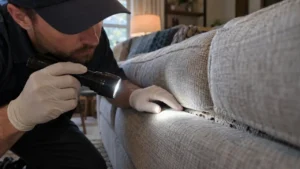
It also helps to think about timing. Bed bugs are most active at night, so if you’re inspecting during the day and coming up empty, that doesn’t necessarily mean the item is clear. Try checking again late at night with a flashlight, moving slowly, since sudden light and movement will send them scurrying back into cracks before you spot them.

Some people use sticky monitoring traps or glue boards around the base of a nightstand, entertainment centre, or nearby furniture to detect bed bug activity after treatment. If bugs are still moving in or out overnight, the traps provide a much clearer indication than a single daytime inspection.
Quick Tip: Use a flashlight and a magnifying glass to check charging ports, vents, and seams. A phone flashlight held at an angle can reveal shadows and shed skins that direct light misses.
How To Stop Them from Getting into Your Electronics
Prevention comes down to reducing the number of dark, undisturbed hiding spots near your bed and seating areas. Keep phones, tablets, and laptops off the mattress and off the floor next to the bed when you’re dealing with an active infestation. A simple bedside caddy or shelf, wiped down regularly, is safer than letting devices sit tucked into blankets or cushions.
Regularly inspect and lightly vacuum around power strips, chargers, and console vents, especially if you live in an apartment building or have recently traveled, since bed bugs are notorious hitchhikers on luggage and secondhand furniture. Consider storing frequently used electronics on smooth, easy-to-inspect surfaces instead of upholstered furniture until the infestation has been eliminated.
If you’ve also stored books beside the bed, it’s worth checking them too, since bed bugs readily hide between covers and pages. Here’s how to treat books for bed bugs safely without damaging them. If you’ve had an infestation before, keep an eye on these spots for a few weeks after treatment, because a handful of surviving eggs can restart the whole cycle.
Cable management matters more than people expect. A tangle of charging cables running under a bed or behind a nightstand creates exactly the kind of tight, undisturbed space bed bugs prefer.
Running cables along a wall, using a cable clip to keep them off the floor, and pulling furniture a few inches away from the wall all make it harder for bugs to establish a foothold. If you’ve bought a used gaming console, a secondhand router, or refurbished electronics recently, it’s worth giving them a once-over with a flashlight before they ever touch your bedroom, since used electronics are a surprisingly common way infestations get started in the first place. Whenever possible, inspect used electronics outdoors or in a garage before bringing them into bedrooms, especially if they came from thrift stores, estate sales, or online marketplaces.
Can They Do Damage?
Bed bugs themselves don’t chew through wires or eat plastic the way some pests do, so they’re not going to physically destroy your electronics from the inside. The real damage usually comes from how people try to treat the problem rather than the bugs themselves. Dousing a laptop in pesticide spray, running it through extreme heat without monitoring, or soaking it to try to drown the bugs is what actually ruins a device.
Many homeowners also wonder whether household disinfectants work, but products like Lysol aren’t reliable bed bug treatments. We explain why in our guide to whether Lysol kills bed bugs.
In heavier infestations, shed skins, eggs, and fecal spotting can accumulate around vents and cooling fans. While bed bugs don’t damage electronics directly, this debris may restrict airflow over time, particularly in devices that already run hot. It’s a similar buildup issue to what happens with bed bugs hiding in carpet, where debris accumulates in fibers over time rather than the pest causing direct structural harm. The fix is thorough vacuuming and one of the safe treatment methods above, not aggressive DIY chemical use.
Can They Live in A TV?
Yes, and TVs can become a hiding spot, particularly older models with larger ventilation openings located near beds. The gap between the wall mount and the housing, the vents along the back, and the seams around the base are all viable hiding spots. Flat-screen TVs mounted near a bed or in a bedroom see this more often than TVs in a living room further from sleeping areas.
Older televisions with larger ventilation openings offer more potential hiding places than today’s slim flat-screen models, although any TV located close to a bed can still harbour bed bugs.
If you suspect your TV is affected, unplug it, let it cool completely, and inspect the back panel vents and base seams with a flashlight. Vacuuming the vents is a safe first step for any TV. For a full treatment, a sealed bag with a Nuvan strip for two weeks is generally safer for a TV than heat, since screens and internal displays can be more sensitive to temperature extremes than a simple circuit board.
Can They Live in a Laptop Computer?
Laptops are one of the more likely electronics to get infested simply because of how they’re used. In apartments and college housing, laptops are probably the electronic item I inspected most often after alarm clocks. People take laptops to bed, prop them on couch cushions, and carry them from room to room, which gives bed bugs plenty of opportunity to climb aboard. The hinge area, the vents along the sides or bottom, and the gap around the keyboard are the main hiding spots.
Modern laptops are generally less susceptible than older models because they have fewer internal cavities and tighter construction, but any laptop that’s regularly used in bed or on upholstered furniture can still provide temporary hiding places.
Also Read: How Long Do Bed Bugs Live in a Plastic Bag? Answered
Treating a laptop takes a bit more care than a TV because of the battery. Power it off, remove the battery if it’s removable, and avoid extreme heat that could damage the screen or battery cells. A sealed bag with a Nuvan strip for two weeks, combined with a thorough vacuum of the keyboard and vents beforehand, is generally the safest combination for a laptop. If you go the freezing route instead, stick to the four-day minimum and let it come back to room temperature slowly inside the sealed bag to avoid condensation damage.
Conclusion
Knowing how to get bed bugs out of electronics safely can save you from replacing expensive devices and help prevent the infestation from spreading throughout your home. Vacuuming first reduces the number of live bugs before you move on to your primary treatment method. Then follow up with heat, freezing, or a Nuvan ProStrip depending on the item and how much risk you’re comfortable taking with temperature extremes.
Skip the water and go easy on direct chemical sprays anywhere near ports or screens. And remember, treating the electronics alone won’t solve the bigger picture. If you’re dealing with a real infestation, your gadgets are just one piece of a much larger cleanup that includes your bed, furniture, and baseboards. If bed bugs are repeatedly appearing in electronics after treatment, it’s usually a sign that the larger infestation elsewhere in the home hasn’t been fully eliminated.
If you’re wondering whether nature helps control the problem, here’s what naturally eats bed bugs—and why predators rarely solve an indoor infestation.
If I had to choose just one approach for a homeowner trying to protect an expensive laptop, I’d start with vacuuming, followed by a properly sealed Nuvan treatment. It avoids exposing the electronics to temperature extremes while still reaching the narrow spaces where bed bugs hide. The sooner you treat nearby electronics as part of the overall infestation, the less likely bed bugs are to spread into other rooms or re-establish themselves after treatment.